


Build & Battle in Kingdoms at War
Overview
Kingdoms at War is a multiplayer role-playing game designed for iOS devices, offering players a dynamic medieval fantasy experience. The game centers on establishing and defending a kingdom while engaging in strategic interactions with other players. Players begin by creating a unique online identity and selecting one of three kingdom focuses: war, defense, or stability—each shaping the strategic direction of their realm.
The game guides newcomers through setup with intuitive prompts, making it accessible even to those unfamiliar with RPG mechanics. Once the foundation is laid, players explore surrounding territories, unlock land, and construct buildings to expand their kingdom’s capabilities. Resources such as gold coins are essential for development, and players can earn them through tasks, alliances, or combat.
The in-app chat system facilitates communication, enabling collaboration or negotiation with other players. However, alliances are not always trustworthy, as players may betray one another for personal gain. While the game provides a rich environment for strategic gameplay, its monetization model presents challenges, particularly around the high cost of building upgrades.
The developer did not specify resource usage details or long-term performance behavior. Despite this, the game offers a compelling entry point for casual and strategy-oriented players seeking an immersive, social gaming experience on iPhone, iPad, and iPod Touch.
Key Features & Capabilities
- Kingdom Creation and Customization – Players choose a kingdom banner and define their focus: war, defense, or stability. This choice influences gameplay style and long-term strategy.
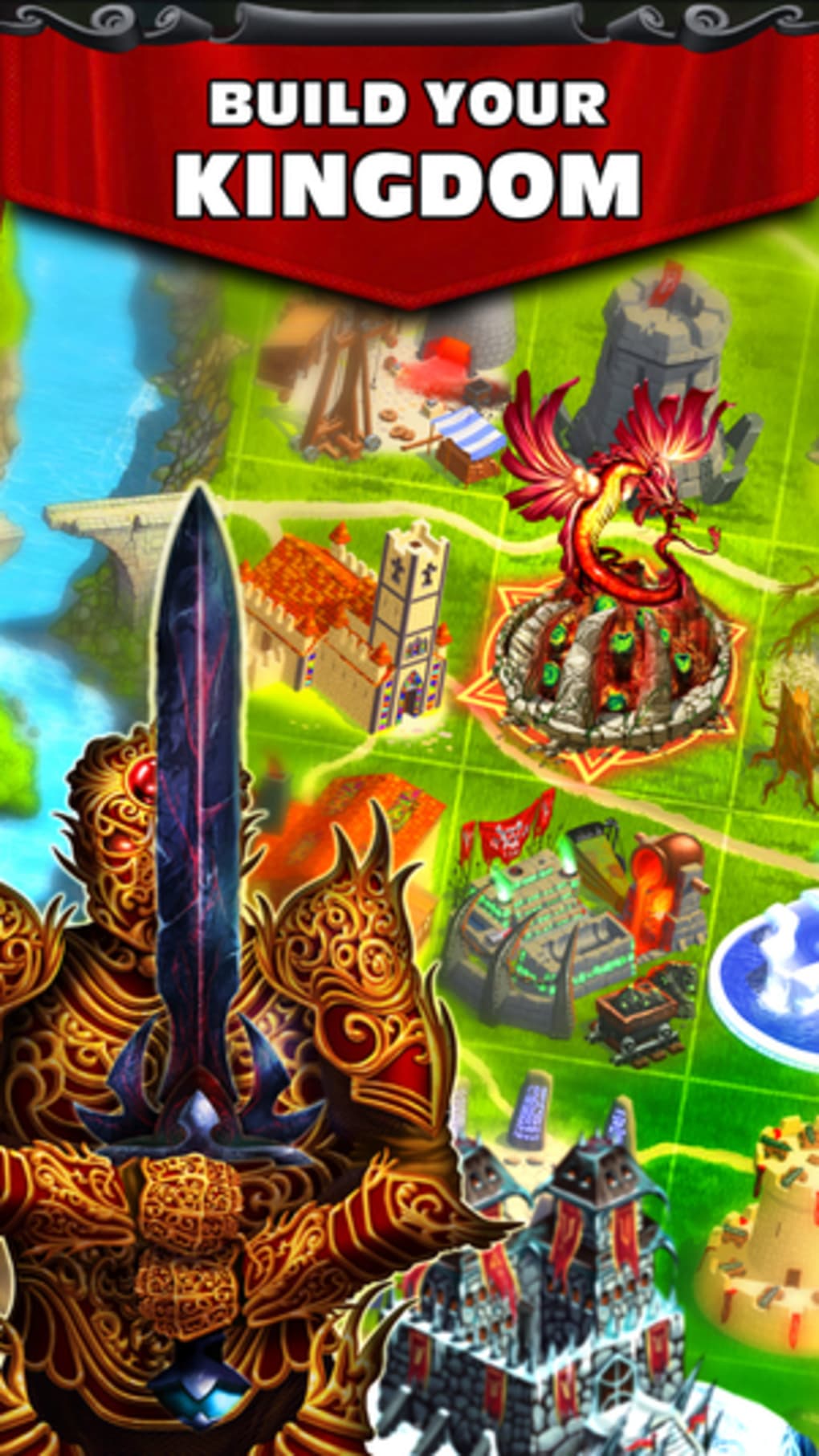
- Land Exploration and Expansion – Players explore adjacent territories to unlock new land for building and resource gathering, progressing through the game world.
- Structure Building System – A variety of buildings can be constructed using in-game gold, each offering unique benefits such as troop production, resource generation, or defensive strength.
- Multiplayer Interaction – Real-time player engagement through alliances, task-based collaboration, and combat with neighboring kingdoms.
- In-App Chat System – Enables direct communication between players, supporting coordination, diplomacy, or recruitment of allies.
- Resource Management – Players must manage gold coins carefully, balancing construction, defense, and attack strategies without a secure storage mechanism.
These features support a gameplay loop where players grow their kingdom through exploration, construction, and interaction. For example, selecting a war-focused kingdom encourages frequent attacks on nearby players, while a defense-oriented approach prioritizes fortifications and alliance-building. The lack of a bank system increases risk, as unspent gold is vulnerable to raids.
This mechanic adds tension but may frustrate players seeking long-term planning. The game’s design emphasizes social dynamics, where trust and betrayal are central to progression. The developer did not provide additional system requirements or performance metrics.
User Interface, Workflow & Performance
The user interface of Kingdoms at War is designed with accessibility in mind, featuring a clean layout and consistent navigation. On iOS devices, the app leverages native touch controls, allowing players to tap and swipe through menus, buildings, and maps with ease. The workflow begins with a guided setup, followed by a series of prompts that encourage exploration and construction.
Each action—building, upgrading, or sending troops—requires confirmation, reducing accidental inputs. The game’s performance appears stable during standard gameplay, though no official data on CPU or RAM usage was provided. The developer did not specify resource usage details.
Based on general software behavior patterns, the app likely maintains moderate performance on supported iOS devices. Stability during multiplayer sessions has not been reported, but the absence of crash reports in the provided information suggests consistent operation. The interface remains responsive, and transitions between screens are smooth.
However, the lack of a bank feature may lead to frustration during extended play, as players risk losing accumulated gold to raids. Overall, the workflow supports intuitive progression, especially for newcomers to the RPG genre.
Compatibility & System Requirements
Kingdoms at War is designed for iOS devices, including iPhone, iPad, and iPod Touch. The current version is 2.0.1, released on May 15, 2024. The app has a file size of 145.2 MB, which is typical for a feature-rich mobile game.
Platform compatibility information is limited to iOS, with no details on specific device models or minimum OS versions. The developer did not specify exact system requirements. Compatibility with future iOS updates has not been confirmed.
Installation is straightforward through the App Store, and the game does not require additional software or drivers. Users should ensure their device has sufficient storage space to accommodate the app and its data. The developer did not provide information on hardware requirements such as processor speed or RAM capacity.
Performance observations are based on general software behavior patterns.
Pros and Cons
Pros
- Beginner-friendly interface with guided onboarding
- Engaging multiplayer mechanics and social interaction
- Customizable kingdom focus shapes gameplay strategy
- Rich fantasy setting with immersive medieval theme
- Free to download and play with no upfront cost
Cons
- High construction costs may hinder long-term progression
- Lack of a bank system increases risk of losing in-game resources
- Reliance on in-app purchases for faster advancement
- Trust issues in alliances due to potential betrayals
- Resource management can become stressful without safe storage
FAQ Section
Is Kingdoms at War compatible with all iOS devices?
Kingdoms at War is designed for iPhone, iPad, and iPod Touch. Specific device compatibility details were not provided by the developer.
Is the game safe to download and play?
The game is available through the official App Store and does not require third-party sources. It is recommended to download only from trusted platforms to ensure security.
Does Kingdoms at War require an internet connection?
Yes, the game is multiplayer-focused and requires a stable internet connection to interact with other players, complete tasks, and participate in battles.
Are there in-app purchases in Kingdoms at War?
While the game is free to download, it includes in-app purchases that may affect gameplay progression, particularly in reducing construction costs or speeding up resource generation.
Can I play Kingdoms at War offline?
No, the game requires an active internet connection at all times due to its multiplayer and real-time interaction features.
Final Thoughts
Kingdoms at War delivers a compelling blend of strategy, role-playing, and social dynamics within a medieval fantasy world. Its beginner-friendly design and guided onboarding make it accessible to players new to the genre, while the customizable kingdom focus and multiplayer interactions offer depth for more experienced gamers. The in-app chat system enhances community engagement, though the lack of a bank feature introduces persistent risk during gameplay.
The high cost of structures and reliance on in-app purchases may limit progression for players who prefer a slower, more balanced experience. Despite these challenges, the game remains a solid choice for fans of fantasy strategy and multiplayer RPGs on iOS. For those seeking a free, engaging, and social gaming experience with a rich medieval theme, Kingdoms at War provides a rewarding entry point.
Download Kingdoms at War now.







